Change multiple dropdowns
Set matching status fields to the same option. Try a working example, then follow the selection steps.
Swoopset · Free browser extension
Hold Alt + S and swoop around the controls you want. Click one field, drag a box, or draw a loop. Type an instruction in the floating menu, or open the full panel to review an AI preview.
Local AI built in. No API key. Free core tools.
The real Swoopset, in your browser
Open the panel or right-click a field. Draw your selection, edit one highlighted value, and try Undo. The local AI model downloads automatically (about 528 MB). You can cancel while trying direct edits.
Hold Alt + S over the table. Click, drag a box, or draw a loop; release to type in the floating menu. Use Open Swoopset for direct bulk editing. No installation needed.
| # | Task | Status |
|---|
Hold Alt + S → select → type → Enter. A local example; no extension needed.
Built for the repetitive bits
Statuses to approve. Notes to repeat. Boxes to tick. Swoopset finds similar controls around the one you choose, so you can make the change across your selection.
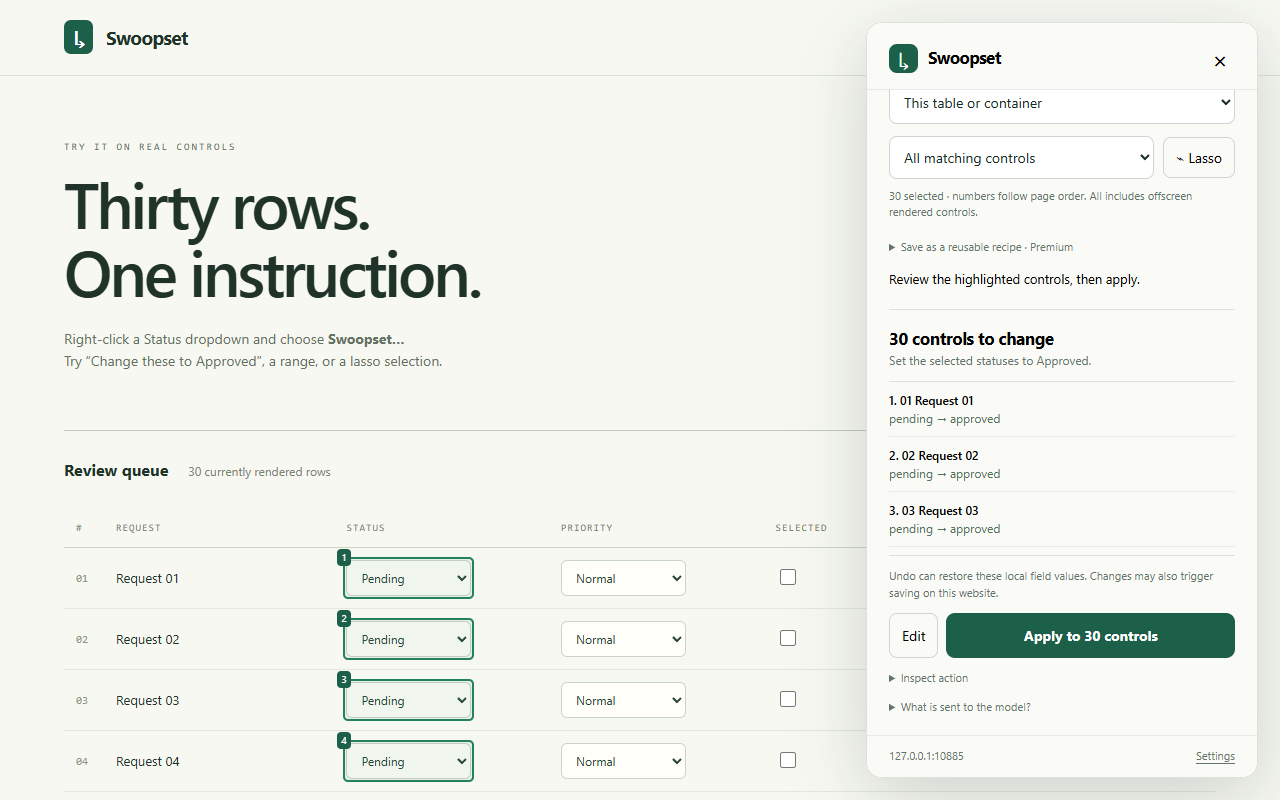
Open Swoopset from the browser menu. Similar controls in the table are highlighted.
Work through every matching field, choose rows 4–12, or draw around just the ones you want.
Edit a highlighted field directly, or describe the change to Swoopset and review the proposed changes.
See the change coming
AI commands show you the targets and proposed values before applying. Stop an action, refine the selection, or undo supported local field changes.
Works on currently rendered controls. Undo cannot reverse every website-side save or submission.
At home in your browser
Download Swoopset with Local AI built in. Store listings are coming soon.
Local AI, built in
Download the model once. Then describe edits in plain language while your instructions and selected page data stay on your device. No API key needed. Prefer your own provider? Connect one in Settings.
How Local AI works ↗For the work you repeat
Premium adds saved instructions, variables, selection preferences, and portable recipe libraries.
$5 USD / month
Or $40 USD / year. Local AI included. Optional hosted providers bill separately.
Premium purchases are not open yet.
Try a familiar task
Set matching status fields to the same option. Try a working example, then follow the selection steps.
Repeat a note across selected inputs, or describe a text change and inspect the result.
Adjust native numeric fields with a calculator and review the before-and-after values.