Handle repeated statuses, notes and checkboxes in Microsoft Edge with fewer clicks. Choose all matching controls, a row range or a lasso before applying an edit.
The Microsoft Edge Add-ons listing is pending. This Edge download requires Developer mode and loads from the folder you select, so keep that folder in place.
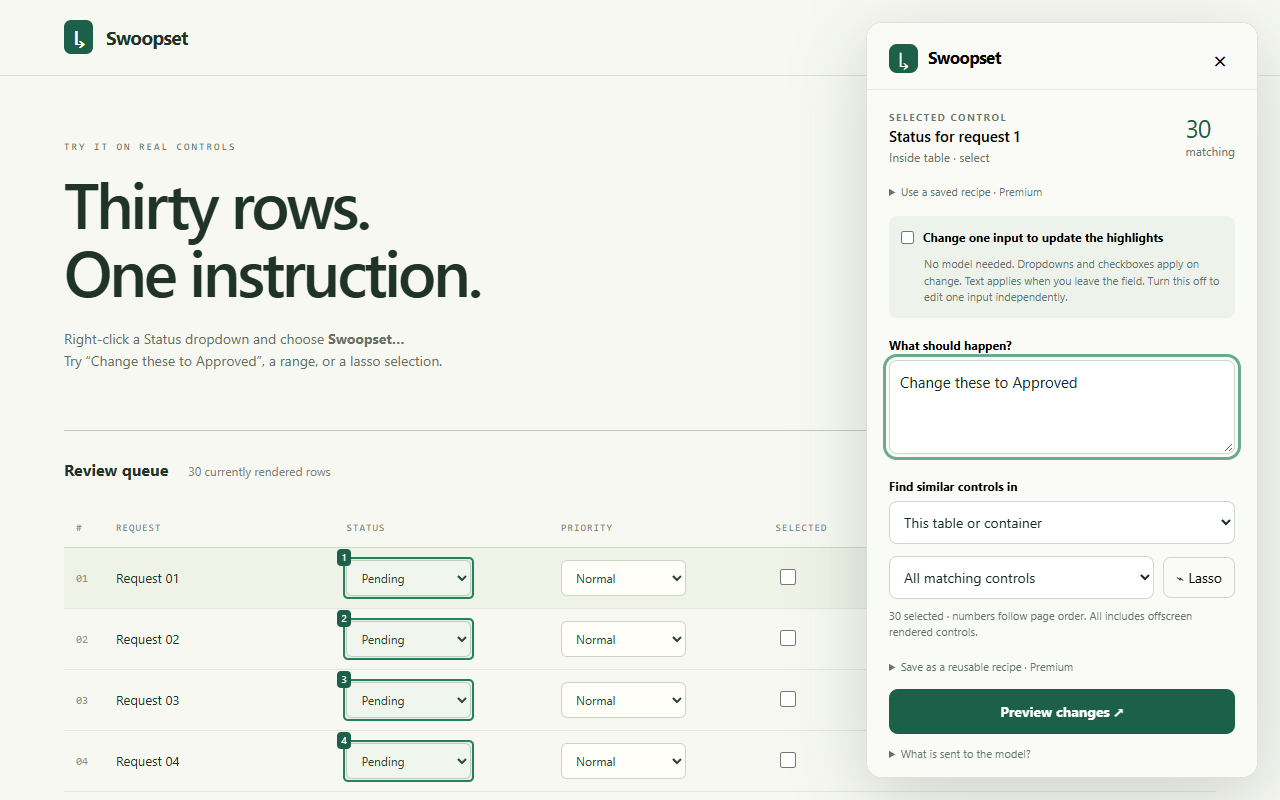
The Swoopset selection panel. Check the highlighted targets before making an edit.
Install in Edge
Download the Edge ZIP below and extract it into a folder you can keep. Use the Edge download for these instructions.
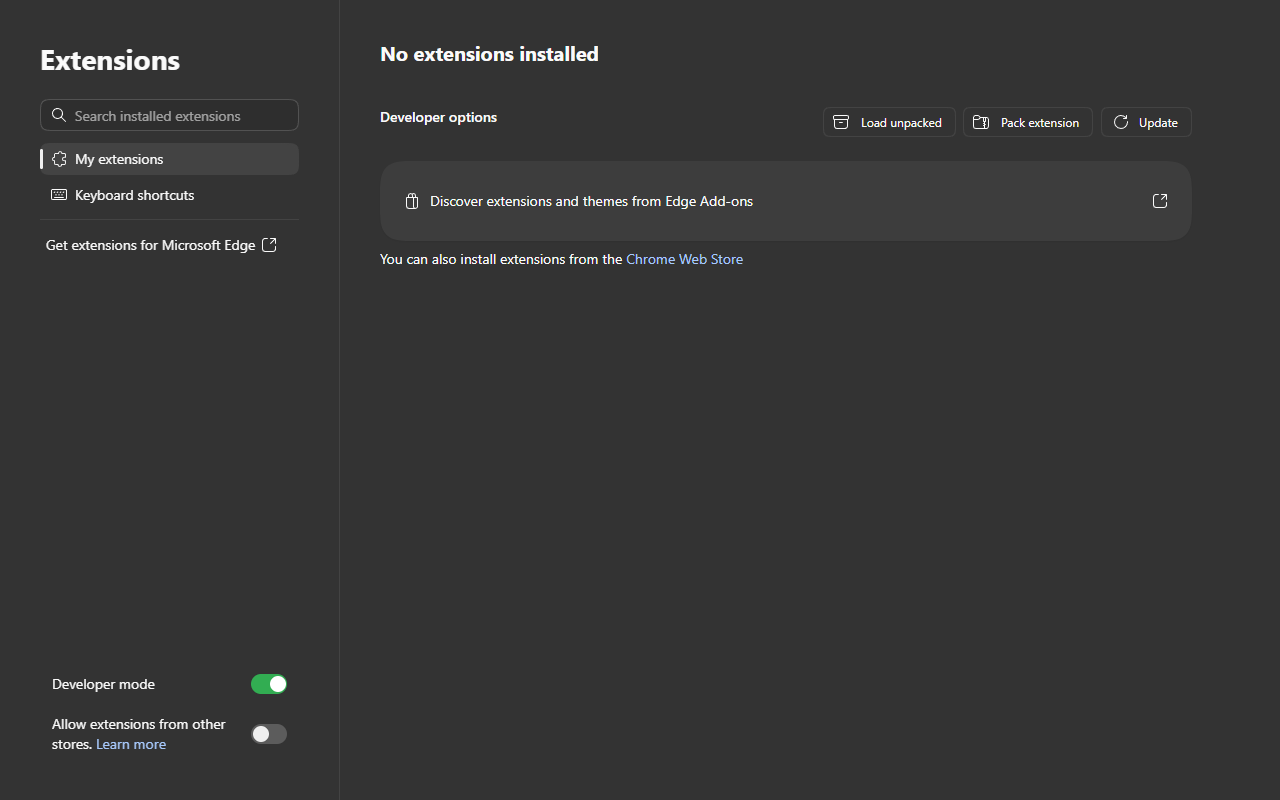
Paste edge://extensions into Edge’s address bar. Turn on Developer mode.
Choose Load unpacked. Select the extracted folder directly containing manifest.json, then choose Select Folder.
Try Swoopset’s introduction and practice table. Refresh an ordinary work page, right-click a supported field and choose Swoopset….
Microsoft Edge’s Extensions page with Developer mode enabled. Load unpacked installs the extracted Edge build. Captured from a fresh desktop browser profile; layout may vary by version.
Right-click a native dropdown, text field or checkbox in the practice table and choose Swoopset.
Inspect the matching controls. Select All, the first N, an inclusive row range or a lasso around the fields you want.
With direct editing enabled, change one selected dropdown or checkbox, or type into a selected text field and leave it. The edit applies to your selection.
Check the results. Use supported local Undo while the panel is open if you need to restore field values.
Practice with the introduction before editing a work queue. See the task guides for examples and selection tips.
Use Local AI when each row needs its own value
Open Swoopset Settings, choose Open Local AI and download the editing model once (about 528 MB). Use GPU when available. After setup you can close that tab; the cached model loads in the background when needed.
Describe your edit, review the affected count and every proposed value, then apply. Local-mode instructions and selected values stay on your device. No API key is needed. Direct editing is available without a model download.
Text, search, email, URL and telephone fields; multiline textareas
Checkboxes
Supported number, date and time inputs
Direct editing uses native form fields. Model-driven actions can also handle some explicitly linked ARIA dropdowns; custom widgets vary. Radio groups, file and password inputs, rich-text editors, closed shadow roots and restricted browser pages are unsupported. Swoopset only reaches currently rendered controls in the current document or frame.
A website can reject a change or replace a field while editing. Review the result; compatibility depends on the website.
Open edge://extensions and turn on Developer mode. If the option is unavailable on a managed work browser, your organization’s extension policy may prevent developer installations. Ask your administrator about an approved installation route.
Edge cannot find manifest.json.
Extract the Edge ZIP, then select the folder containing manifest.json. Do not select the ZIP or a folder one level above the extension files.
An existing work tab does not show Swoopset.
Refresh the page after installation or after reloading the extension. Confirm Swoopset is enabled in edge://extensions. Internal Edge pages and protected store pages are restricted.
How do I update the Edge build?
Extract the new Edge download and load that folder. If you replace the files in your original installation folder, choose Reload on Swoopset’s card in edge://extensions and refresh the work page. Keep only one copy enabled.
Why did only some rows change?
Swoopset edits controls currently rendered in the page. Check the highlights and selected count. Rows on another page, or virtualized rows not loaded into the page, are outside this selection. Scroll or load a batch and inspect its targets before editing.
When does a direct text edit apply?
Leave the edited text field to commit the value to the selected set. Native dropdowns and checkboxes commit on change. Turn direct editing off in the panel if you want independent edits.
Local AI is slow or unavailable.
Download the model from Open Local AI in Settings first. Use GPU when the browser and device support it; CPU is slower. Check the Local AI status for download, storage or model-loading errors. Model-free direct editing works without downloading a model.
Can Undo reverse a website save?
Undo restores supported local field values while the panel stays open. A website may save automatically or react to each edit; Swoopset cannot guarantee reversing that server-side action. Check the result before using the website’s Save or Submit button.
Need help? Email support@swoopset.com with your browser version, control type and expected result. Leave private page values and keys out of your report.
Ready to try a set?
Start with the included practice table, then move to your own repeated fields.